Background turns — replies that keep running
Shipped
View as MarkdownWhen you send a message, the reply doesn't run on the screen you started it from — it runs as a durable background job, tracked in the local database. That one change is what lets a reply survive you leaving the conversation, switching to another chat, or backgrounding the whole app.
Why it matters
You can task an agent with something slow — a long tool-using turn, a big local model — and walk away. The reply keeps generating, tells you when it's done, and is waiting for you when you come back, instead of being cancelled the moment you navigate away.
How it works
Leave a conversation while it's replying and the reply keeps running; return and the app re-attaches to the same in-flight turn and resumes its live stream where it left off, rather than starting over. Several conversations can generate at once. If the app or its background worker is killed mid-reply, the turn resumes on its own once the app comes back.
The only thing that cancels a turn now is the explicit Stop generating button — which stays visible on the conversation whenever its turn is running. Leaving the page or backgrounding the app no longer stops it.
On Android, while any turn is running the app shows an ongoing "Generating response" notification. That notification is what keeps the process — and the worker driving your reply — alive while the app is in the background; it clears when the last turn finishes. When a reply lands on a conversation you aren't looking at, a separate "Your reply is ready" notification appears and opens that conversation when tapped. If an agent stops mid-turn to ask you a question, a notification brings you to the prompt and clears once you answer.
The first time a turn starts, Android 13 and newer ask for notification permission. Denying it only hides the notifications — the turn still runs.
On Linux desktop, a backgrounded window is never killed, so turns simply keep running with no ongoing notification; completion notifications still appear.
The Jobs page
The navigation drawer has a Jobs entry (badged with the count of active jobs) that lists background work live. Each assistant turn appears with its tool calls nested beneath it, carrying a status, who started it, timing, progress, and any error.
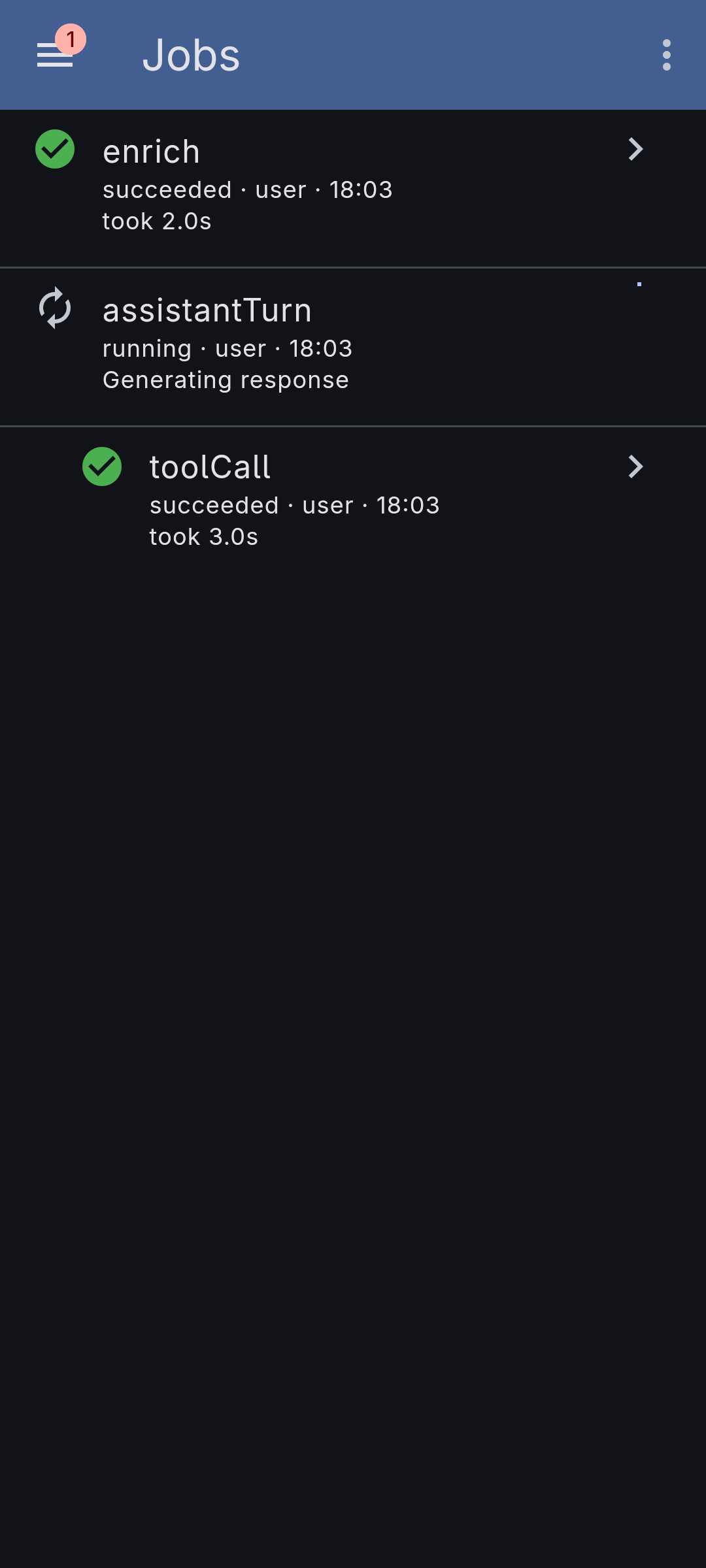
From here you can restart a failed job, multi-select and delete finished ones, clear all finished jobs at once, and see how many conversations are waiting for your input. Tapping a job opens its conversation, scrolled to the message it produced. The list is scoped to the active workspace.
What it doesn't do yet
- Very long backgrounded generations on Android 15+ can be stopped by the operating system's 6-hour/24-hour limit on this kind of background work; picking the turn back up across that limit isn't handled yet.
- Completion notifications fire only on the device that started the turn, and there's no setting to turn them off. Opening a conversation clears its ready-reply notifications; a pending question waits until you answer it.
- Auto-resume after a crash re-runs an interrupted turn only when any tool it was mid-way through is safe to repeat (a fetch, the current time); a turn interrupted while writing to memory stops with a retryable message instead.