Context management — what the model still sees
Shipped
View as MarkdownA model can only read so much at once, so a long conversation eventually has to leave some of its oldest messages out of each request. Context management lets you decide how that cut is made — and shows you exactly where it lands — instead of history quietly vanishing.
Why it matters
When the window filled up before, the oldest messages were dropped with no signal, so a lost opening instruction looked like the model ignoring it. Now you set the policy, see the boundary in the conversation, and can move it yourself.
How it works
Compaction has two dials:
- How much to keep — the number of recent turns that always stay in the model's context (a turn is one exchange; the cut always falls between turns, never inside one).
- How to represent what falls out:
- Drop older messages — they're simply not sent.
- Keep the opening messages — the conversation's first turns stay in context and the middle drops, so a system-setting opening instruction is never lost.
- Summarize older messages — a model you choose keeps a running summary of the dropped turns and sends it in their place.
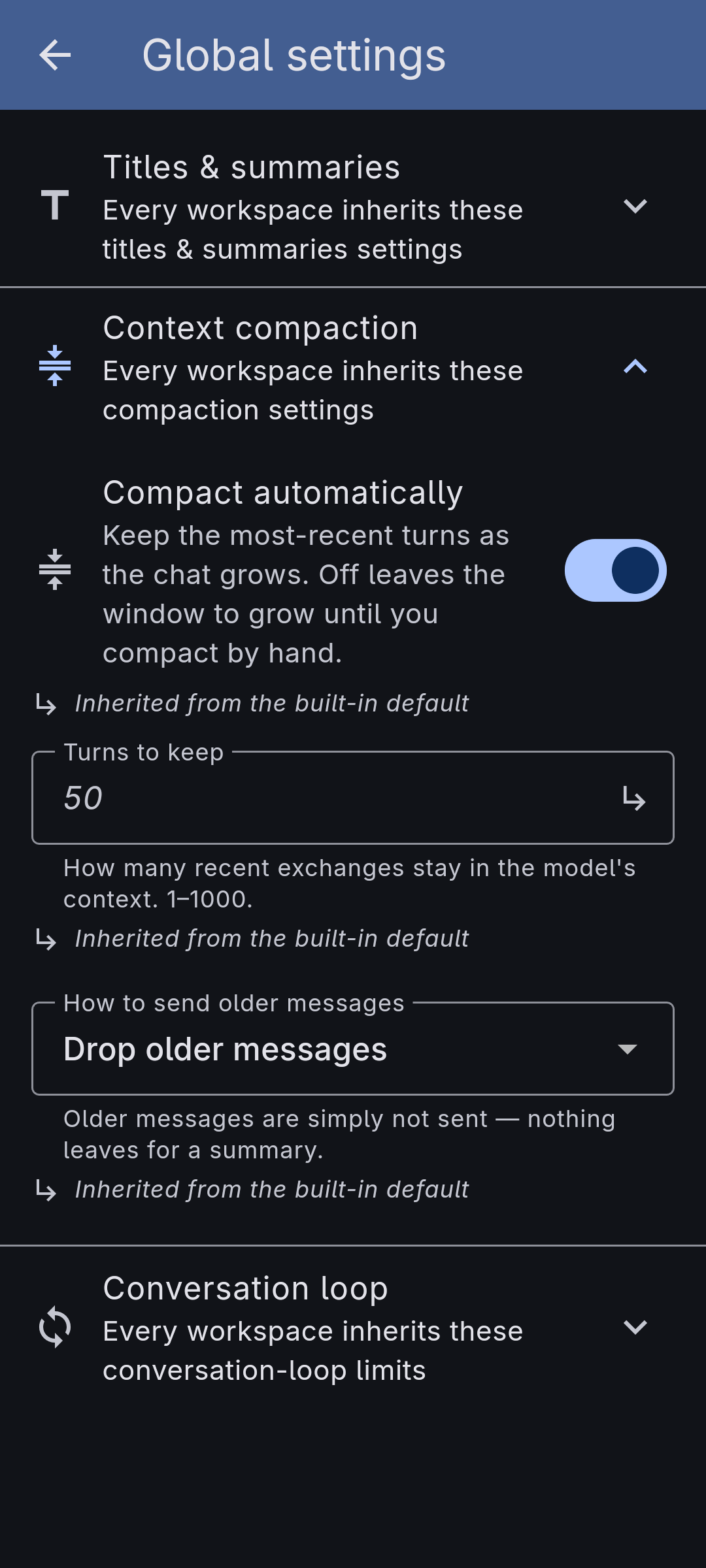
You configure this app-wide under Settings → Workspaces → Global settings, in the Context compaction section, and can override it per workspace and per agent. The overrides layer in a cascade — the global settings at the bottom, the workspace on top of them, the agent on top of that — and each field shows whether it is inherited or set here, with a reset back to inherited.
In a conversation, a divider marks the context boundary: it sits above the oldest message still sent to the model and reads, for example, "Older messages above are not sent to the model" (or, with the summarize option, "Older messages above are summarised below", with the exact summary tucked behind a disclosure). The divider moves as turns land and disappears when the whole conversation fits.
The conversation's menu draws the line on demand. The action is called Compact now when it will write a summary of the turns it drops, and Clear context when nothing is sent in their place — either way your messages stay on screen; they're just no longer sent. It asks first: how many recent turns to leave in context (none, by default), and — when a summary is being written — what that summary should hold on to. That focus applies to this one summary; your saved summary prompt is unchanged.
A compaction can be taken back. The confirmation that appears offers Undo, and the divider marking the cut keeps an "Undo this compaction" for when you notice later. Undoing restores exactly what the cut took away — including dropping the summary written for it, so nothing is sent twice — and cancels a summary still being written. The action shows only while there is something to restore: once the automatic window has moved past that point on its own, undoing it would change nothing.
The strip at the top of every conversation shows how full the context window is, turning from its normal colour toward a warning as it fills. Right after a compaction the strip dims and reads "Compacted" until the next reply measures the smaller window — the app never guesses at a size it hasn't seen. While a summary is being written it says so instead, and the menu action waits for it to finish rather than starting a second one.
Because the history you can scroll and search on screen is separate from what the model receives, lowering an agent's context window to save on tokens no longer hides your older messages from view.
What it doesn't do yet
- One cut policy. Today the cut is always "keep the most recent N turns" — there's no size- or token-based policy yet.
- The summarize option needs a summarizer model. Without one configured, "Summarize older messages" falls back to simply dropping them.
- No per-conversation override. Compaction resolves down to the agent level; a single conversation follows its agent's setting (and the manual action in its menu).
- Undo covers the cuts you make. A compaction the app made on its own follows the policy, and there is nothing to take back — the window moves as the conversation grows.