On-device models — run fully offline
Shipped
View as MarkdownAlongside the remote and local-server providers, Bring Your LM has a built-in llama.cpp inference engine. Point it at a folder of GGUF model files you supply and it runs them in-process, on the device, with nothing leaving it — no server to stand up, no URL, no API key.
Why it matters
It's the most private and the most self-contained way to run a model: fully offline, on hardware you already carry. You still bring the model — a GGUF file you downloaded or converted — but there's no service in the loop.
How it works
Add an On-device (llama.cpp) provider and give it a models directory. On desktop that's a path you type; on Android you grant a folder once and the app reads it through the system file-access framework. The directory is scanned recursively and each model file becomes selectable.
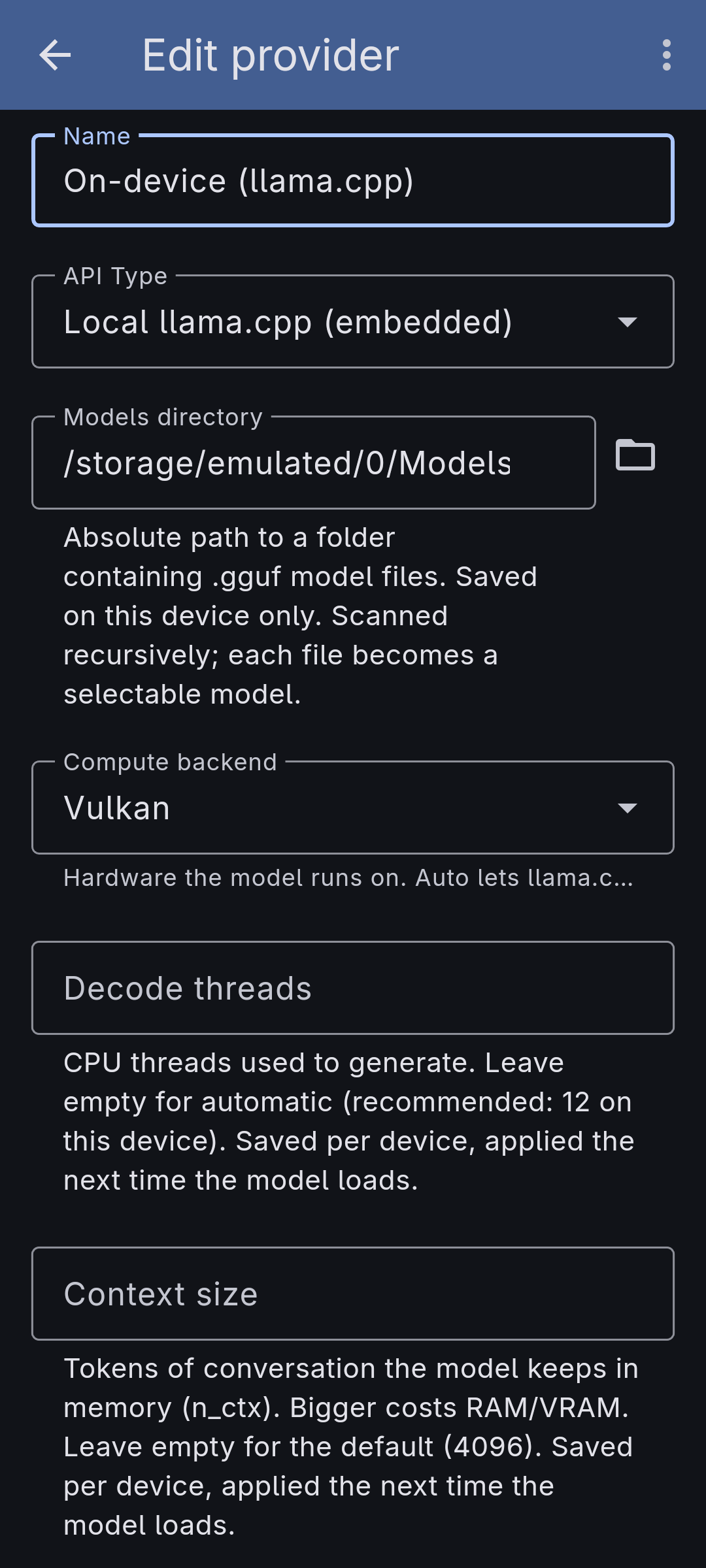
You assemble each model in the app rather than hand-editing anything. A model is built from:
- a base GGUF (the model itself),
- an optional multimodal projector (an mmproj file) that gives a vision-capable model the ability to actually read attached images, and
- an optional speculative-decoding draft for faster generation on supported models.
The file picker only offers files that fit each slot and shows each file's size, so you don't pick a projector where a base model belongs. A model's name is derived from its components (with markers like "+ vision"), and you can override it.
Pick the compute backend per device — Auto lets llama.cpp choose, or pin CPU, Vulkan, or (on Linux) ROCm for an AMD GPU. This choice is saved on the device only, since the right hardware for a phone means nothing on a desktop. You can also set the number of decode threads (or leave it automatic, with a recommended value shown). Each reply's metrics show which backend it actually ran on.
What it doesn't do yet
- Speculative decoding is experimental. The draft-model slot and its controls are in the form, but the speed-up currently applies only to text turns on specific paired models — a turn with an attached image runs without it — and depends on runtime pieces that aren't fully in place yet.
- ROCm is Linux-only, and there is no published Linux binary yet — the Android build ships on Google Play, where the offered backends are CPU and Vulkan.
- You still supply the model file. Nothing is bundled or downloaded for you; the provider only runs GGUF files already in the folder you grant it.