Workspaces — keep your work in scopes
Shipped
View as MarkdownA workspace is a named scope that groups your agents, your conversations, and the tools you keep private to them. Instead of one flat pile, you file things into workspaces — "Research", "Home", a client's name — and switch scope from the navigation drawer so each list shows only that workspace's items.
Why it matters
Once you have more than a handful of agents and conversations, a single list is hard to work in. Workspaces let you keep separate projects apart, give each one its own defaults, and hand an agent a memory or a fetch tool that no other workspace can see or reach.
How it works
Every agent belongs to a workspace (through its workspaceId), and a conversation belongs to
whichever workspace its agent does. Pick the active workspace from the switcher in the drawer
header; the Conversations, Agents, Tools and Jobs lists all re-scope to it, and each list names the
active workspace under its title. Choose All workspaces to see everything at once, or
Default for items you never filed anywhere.
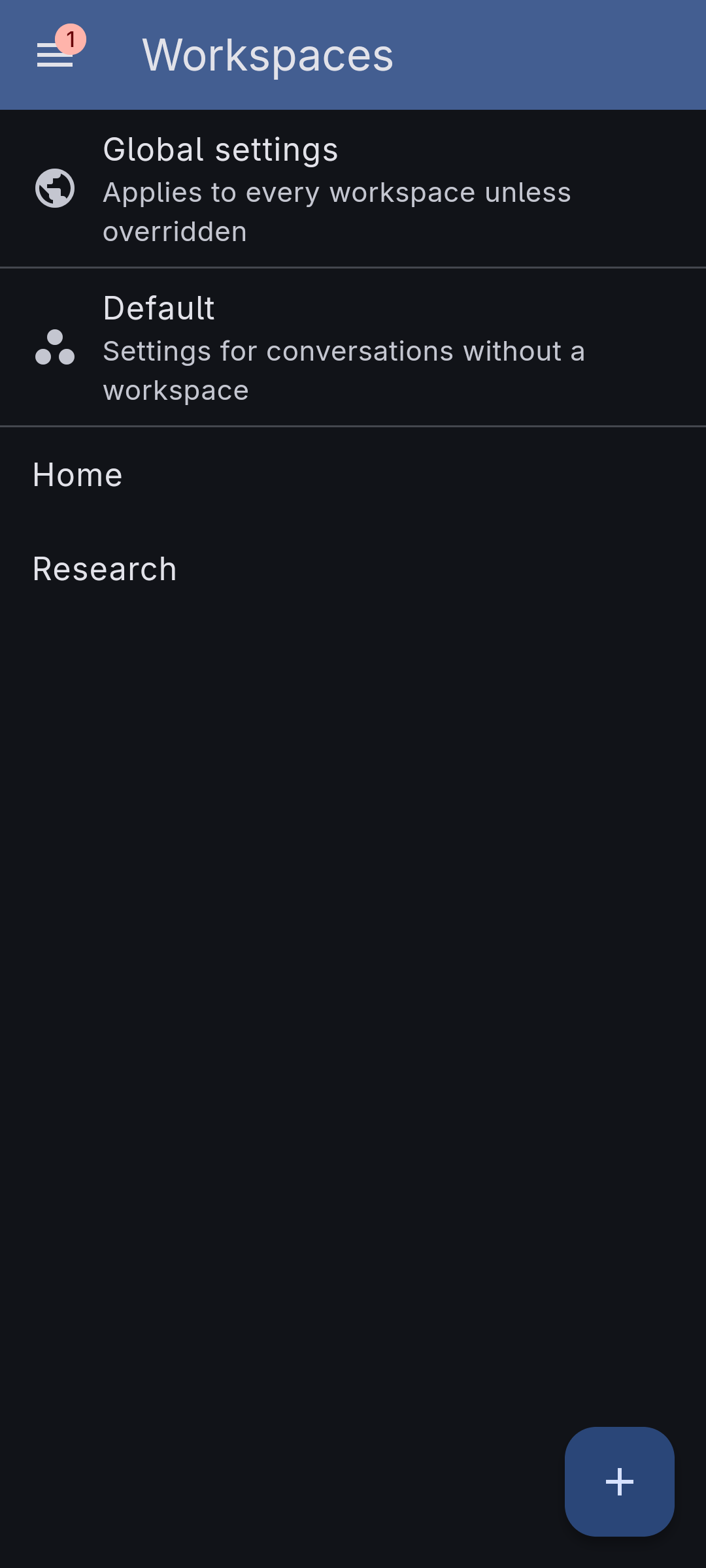
Settings → Workspaces lists the whole cascade in reading order. Global settings comes first — the titles & summaries, context-compaction and conversation-loop settings every workspace inherits, on one page. Below it is Default, then the workspaces you made; create one from the same screen, and its name must be unique, checked as you type.
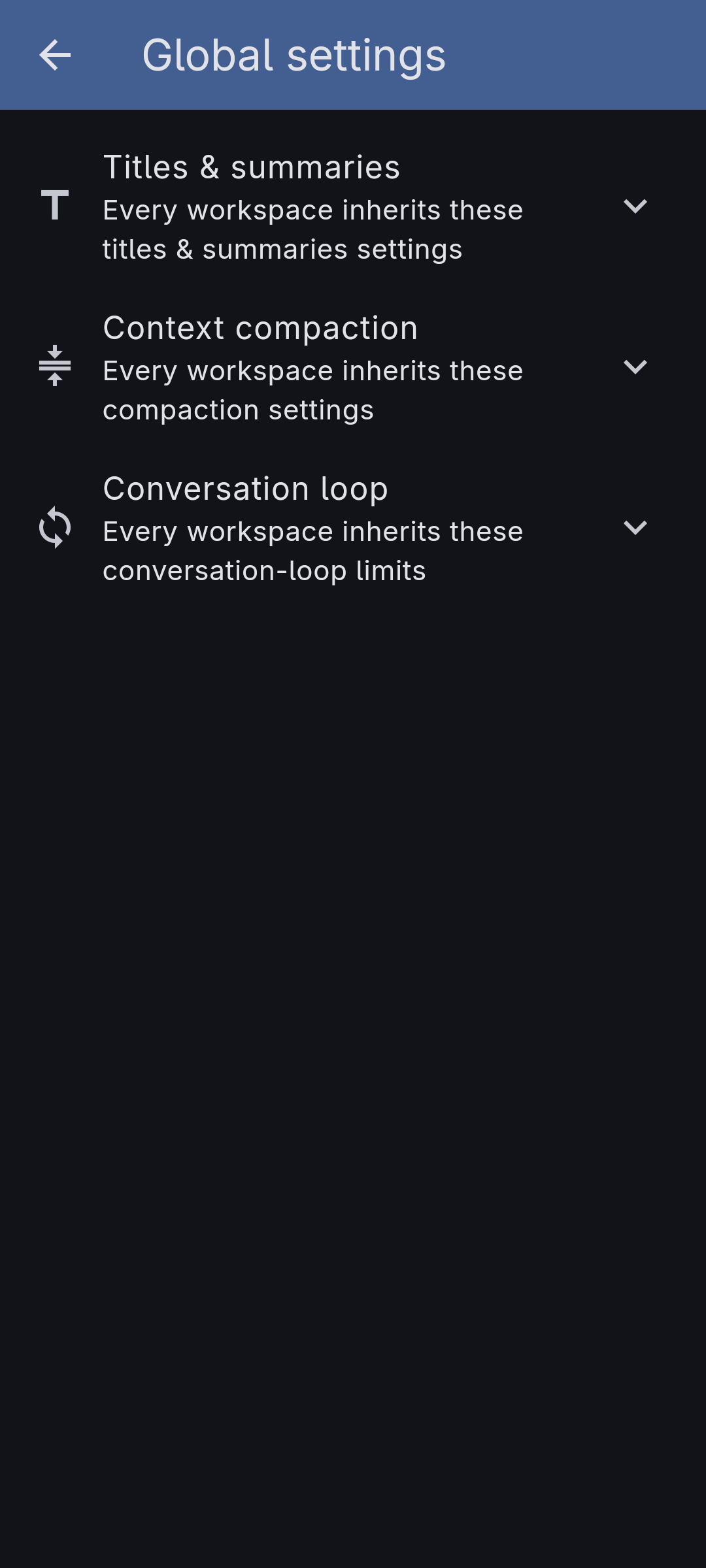
The three sections open one at a time, and they are the same three, in the same order, that a workspace's own page shows — the difference between the two screens is which values they carry, not what they look like.
There is always a Default workspace. It isn't a workspace you created — it's where anything with no workspace lives — so it has no name, archive, or delete, only its own settings.
Each workspace can carry:
- A default agent — the one the new-conversation button opens straight into, so starting a chat with your usual agent costs no extra tap.
- A titles & summaries override — auto-enrichment tuned for this workspace, set per field on top of the global configuration.
- A context-compaction override — how much history to keep and how to represent what falls out, set per field on top of the global settings.
- A conversation-loop override — the tool-round ceiling, message window, and stream-retry limits for this workspace's conversations.
These layer in a cascade: the global settings sit at the bottom, the workspace's overrides layer on top, and an individual agent (and the frozen snapshot inside each conversation) sits on top of that. Every override fills in only the fields you set here and inherits the rest; each field shows whether it is inherited or set at this level, and offers a reset back to the value it would inherit.
You can archive a workspace you're done with: it drops out of the drawer switcher but keeps all its agents and conversations, and you can unarchive it from the Workspaces list. To move an existing agent or conversation between workspaces, use the Move to workspace action on the Agents or Conversations list (including the multi-select bar).
Workspaces and their settings sync across your devices, like the rest of your data. A tool kept private to a workspace keeps its stored memory and its API key in that workspace's own slot, unreachable from any other.
What it doesn't do yet
- Providers are not scoped. Your API providers are shared across every workspace; only agents, conversations, and tools are filed by workspace.
- Deleting a workspace offers to either move its contents back to Default or delete them with it; the move is refused up front if a private tool's name would collide with an existing Default tool.