Build a simple agent
View as MarkdownAn agent in Bring Your LM is just three things you choose: a provider to run the model, a model, and a system prompt that tells it its job. For a surprising amount of everyday help — a knowledgeable assistant, a writing sounding-board, a patient language partner — that is the whole setup. No tools, no external data, nothing that has to reach the network beyond your own provider.
This is the base case worth building first, because every other use case starts here and adds to it.
What you need
- A provider you bring. An OpenAI-compatible or OpenRouter account (with your own API key), or a local Ollama / llama.cpp server on your network. Bring Your LM never ships a model — you point it at one you already have access to.
- A model that provider serves.
- No tools. The agent answers from what the model already knows.
Build it
- Add your provider. On the Providers screen, tap +, give it a name and its base URL, and paste your API key if it needs one.
- Create an agent. On the Agents screen, tap +, then pick the provider and model you just set up.
- Write the system prompt. This is where the agent gets its personality and its job — the one field that turns a raw model into your assistant.
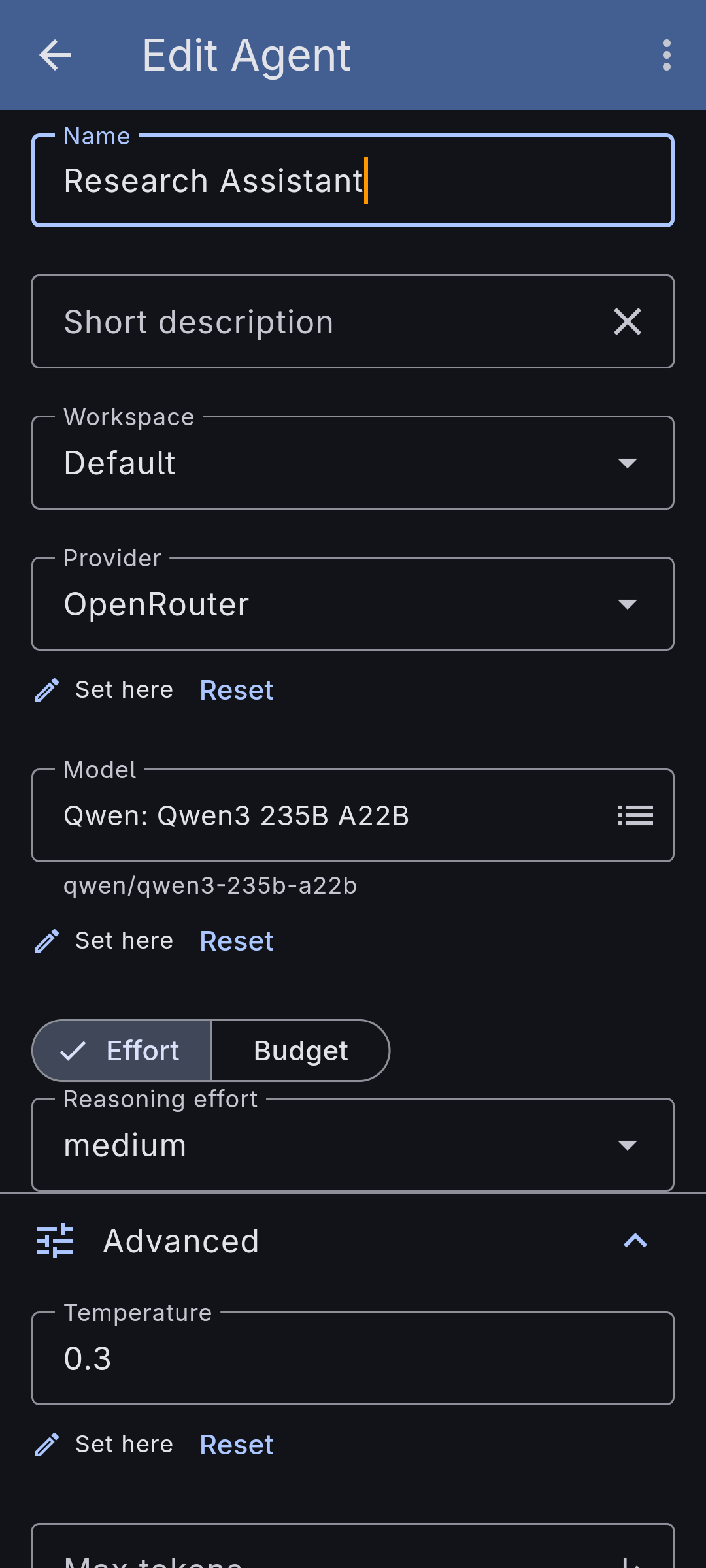
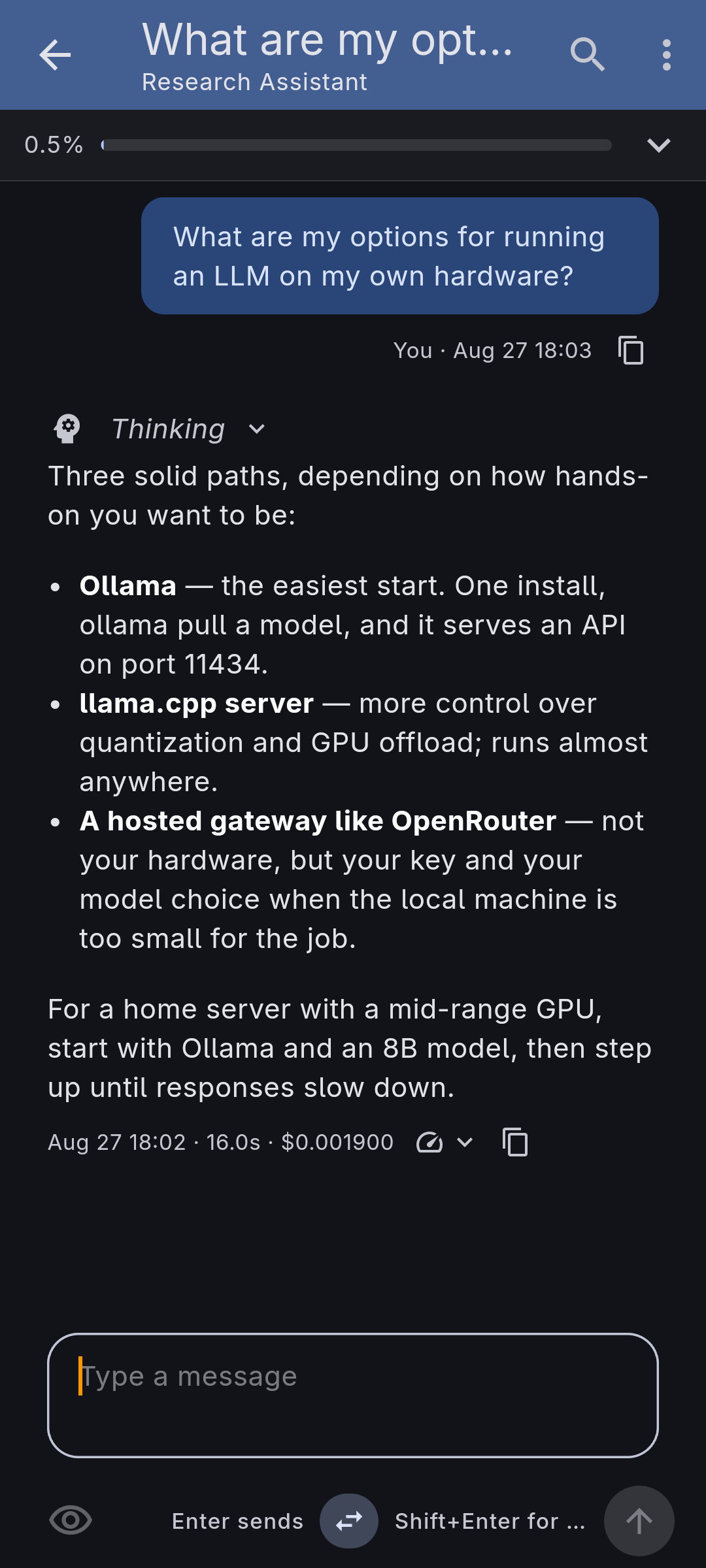
- Start a conversation and ask. The reply comes straight from the model's own knowledge — no lookups, no tools in the loop.
Make it yours
The system prompt does all the work here, so changing it is how you get a different assistant:
- Language practice — "You are a patient French conversation partner. Reply in simple French, then add a one-line English gloss underneath."
- Writing coach — "You review my drafts for clarity and cut wordiness. Suggest edits, don't rewrite wholesale."
- Recipe helper — "Suggest simple one-pot meals from the ingredients I list."
When an agent needs to reach beyond what the model knows — today's news, a page on the web, your own saved notes — that's the next step: attaching a tool. This simple agent is the foundation it builds on.